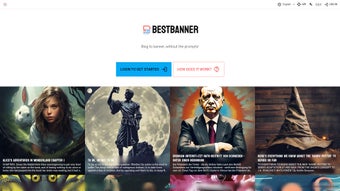

Download BestBanner – AI‑Powered Banner Creator for Blogs, Social Media & Ads
Overview
In the constantly evolving digital arena, visual storytelling has become the cornerstone of audience engagement. Whether you are a solo blogger striving to stand out in a saturated niche, a social‑media manager juggling multiple brand calendars, or a small‑business owner looking for cost‑effective ways to advertise, the need for high‑quality banner images is undeniable. Yet, traditional graphic design tools demand a steep learning curve, expensive subscriptions, or the time‑consuming effort of hiring a professional designer.
This is where BestBanner steps in, redefining the banner‑creation workflow with a cloud‑based, AI‑driven engine that transforms plain text into polished, click‑ready graphics in seconds. By simply pasting a headline, a brief description, or even a markdown file, the platform analyzes the semantic meaning, extracts key visual cues, and produces a set of design variations that match the tone, brand palette, and platform‑specific dimensions you need. Because it runs entirely in the browser, there is no bulky software to install, no operating‑system compatibility headaches, and no maintenance overhead—just a secure, responsive interface that works on Windows, macOS, Linux, Android, and iOS alike.
BestBanner promises three core benefits: dramatic time savings, consistent brand presentation, and measurable uplift in click‑through rates, all while keeping the user experience intuitive enough for beginners and powerful enough for seasoned marketers. The result is a seamless bridge between content creation and visual marketing, allowing you to focus on storytelling rather than getting lost in design minutiae.
Key Features & Capabilities
- AI‑Generated Visuals: Deep‑learning models trained on millions of banner designs automatically suggest layouts, color schemes, and typography that align with your content’s mood and intent.
- Multimodal Input: Accepts plain text, markdown, or short briefs; the AI extracts themes, keywords, and sentiment to drive visual composition.
- One‑Click Export: Download in PNG, JPEG, or WebP with preset dimensions for Facebook, Twitter, LinkedIn, blog headers, Google Ads, and more.
- Brand Consistency Engine: Upload logos, define primary and secondary colors, and select brand‑approved fonts; the system enforces these rules across every generated banner.
- Template Library: Over 150 professionally designed templates that can be instantly customized or let the AI select the optimal layout for you.
- Real‑Time Preview & Responsiveness: Instantly toggle between desktop and mobile mock‑ups, ensuring your banner looks perfect on every device before you download.
- Secure Cloud Processing: All data is encrypted in transit (HTTPS) and at rest; no personal assets are stored after the generation session ends.
- Automatic Model Updates: New design trends and AI improvements are pushed automatically, so you always benefit from the latest visual language without manual updates.
Why These Features Matter
The convergence of multimodal AI and brand‑aware customization differentiates BestBanner from generic graphic editors. Conventional tools like Photoshop or Canva still require manual selection of layouts, font pairing, and color matching—a process that can consume 30‑60 minutes per banner. BestBanner compresses that effort into a single click, enabling the creation of up to 20 unique banners per hour.
This acceleration translates directly into higher publishing frequency, stronger SEO signals, and amplified social‑media reach. Moreover, the secure, cloud‑first architecture means that sensitive campaign assets never leave the user’s browser, a critical compliance factor for agencies handling client data. The built‑in template library provides a quick-start for users who need a proven design framework, while the AI’s ability to generate fresh concepts ensures that you never fall into visual monotony.
Whether you are scaling content for a multilingual blog network or launching a rapid A/B test on ad creatives, the feature set equips you with the flexibility and reliability required for modern digital marketing campaigns.
Installation & Usage Instructions
BestBanner is delivered as a software‑as‑a‑service (SaaS) platform, eliminating the need for any traditional installation or local hardware requirements. The entire workflow occurs within a modern web browser, guaranteeing that updates and new AI models are applied instantly without user intervention. Follow the detailed steps below to get up and running in under five minutes:
- Create Your Account: Visit bestbanner.com and sign up using an email address or a social‑login (Google, Facebook, LinkedIn). The free tier grants 10 banner generations per month, ideal for testing the platform’s capabilities.
- Configure Brand Settings: After logging in, navigate to the “Brand Settings” dashboard. Upload your logo in PNG or SVG format, enter HEX codes for primary and secondary colors, and choose from a list of web‑safe fonts or upload custom font files. These preferences become the default styling rules for every AI‑generated banner.
- Input Your Content: Click the “Create New Banner” button. You can paste a headline, a short paragraph, or upload a .txt/.md file for bulk processing. The AI will parse the text, identify key concepts, and map them to visual elements such as icons, background images, and typography hierarchy.
- Select a Template (Optional): Browse the curated template library if you have a specific layout in mind (e.g., hero banner, side‑rail ad, carousel slide). If you prefer a fully AI‑driven approach, skip this step and let the engine suggest the optimal design based on your content.
- Generate & Refine: Press “Generate.” Within 3‑7 seconds, a carousel of design variations appears. Use the “Swap” button to replace any element (background, icon, font) and the “Adjust” sliders to fine‑tune color intensity or text spacing. Real‑time preview lets you switch between desktop, tablet, and mobile views.
- Export or Share: Choose the desired file format (PNG for lossless quality, JPEG for smaller files, WebP for modern browsers) and resolution. You can download the banner directly, copy a shareable URL, or schedule it for automatic posting to integrated social‑media accounts.
For developers and agencies that need bulk processing, BestBanner offers a fully documented RESTful API. The API supports batch generation, webhook callbacks for asynchronous processing, and API‑key authentication. Sample code snippets are available in Python, Node.js, and PHP, allowing seamless integration with content management systems such as WordPress, Ghost, or custom editorial pipelines.
Because the platform runs entirely in the browser, you benefit from a “set‑and‑forget” update model: as soon as the service releases a new AI model or design trend, it becomes instantly available to all users without any manual download or patching. This ensures you are always operating with the most current visual intelligence while keeping your local operating system untouched and secure.
Compatibility, Pros & Cons
BestBanner leverages HTML5, CSS3, and WebGL technologies, making it compatible with any modern browser on a wide range of operating systems. The platform has been tested on the following environments and meets the performance criteria for real‑time AI rendering:
- Windows 10/11 – Chrome, Edge, Firefox (latest versions)
- macOS Monterey and later – Safari, Chrome, Firefox
- Linux distributions – Chromium‑based browsers (Chrome, Brave, Vivaldi)
- Android 9+ – Chrome, Samsung Internet
- iOS 13+ – Safari, Chrome
Pros
- Instant AI‑driven banner creation reduces design time by up to 90 %.
- Fully cloud‑based; no heavy local resources or installations required.
- Brand‑aware customization ensures visual consistency across all assets.
- End‑to‑end encryption protects uploaded logos and brand assets.
- Free tier available for testing; paid plans scale affordably for freelancers, agencies, and enterprises.
- API access enables bulk generation and integration with existing workflows.
- Automatic model updates keep designs fresh without user intervention.
Cons
- Requires a stable internet connection; offline usage is not supported.
- Advanced custom illustrations are limited to what the AI can generate; complex vector artwork may still need a professional designer.
- Free plan caps banner generations at 10 per month, which may be restrictive for high‑volume marketers.
- Design flexibility is bounded by the preset templates and AI suggestions; complete creative control is not as granular as desktop software.
FAQ – Frequently Asked Questions
Can I use BestBanner for commercial projects?
Yes. All paid plans include a commercial‑use license, allowing you to publish generated banners on client websites, ad campaigns, and paid social media promotions without additional royalties.
How does BestBanner protect my uploaded logos and brand assets?
All files are transmitted over HTTPS and stored in encrypted containers for the duration of the session only. Once a banner is generated and the session ends, the original files are automatically purged from our servers.
Is there an API for bulk banner generation?
Yes. BestBanner offers a RESTful API with the endpoint /v1/generate. The documentation includes authentication methods, rate limits, and example payloads for batch processing up to 500 banners per request.
What image formats can I export?
Banners can be downloaded as PNG (lossless), JPEG (adjustable quality), or WebP (modern, smaller file size). Each format retains the original resolution selected during generation, and you can choose between 72 dpi for web use or 300 dpi for print‑ready assets.
Do I need design skills to get good results?
No. The AI handles layout, typography, and color harmony automatically. However, if you have a design background, you can fine‑tune outputs by adjusting brand settings, swapping template elements, or applying custom CSS overrides in the advanced editor.
Conclusion & Call to Action
BestBanner exemplifies how artificial intelligence can democratize graphic design, turning a simple text snippet into a polished, brand‑consistent banner in seconds. By removing the manual steps of layout creation, font pairing, and color selection, the platform frees marketers, content creators, and small businesses to focus on strategy rather than execution. Its cloud‑first architecture guarantees that you always work with the latest AI models and design trends, while end‑to‑end encryption safeguards your proprietary assets. Although an internet connection is mandatory and the free tier imposes usage limits, the overall value proposition—significant time savings, consistent visual identity, and measurable uplift in click‑through rates—makes BestBanner a compelling addition to any digital‑marketing toolkit.
Ready to elevate your visual content without the overhead of traditional design software? Create a free account today and experience the speed of AI‑generated banners for yourself. For agencies, enterprises, or power users, explore the premium plans and API access to unlock unlimited generations, priority support, and deeper integrations with your existing workflow. Your next high‑performing ad, blog header, or social‑media post is just a click away.
Pros: Fast AI generation, brand consistency, cross‑platform, secure cloud, API for bulk work.
Cons: Requires internet, limited offline, free tier caps usage, advanced custom art may need a designer.



.png)



